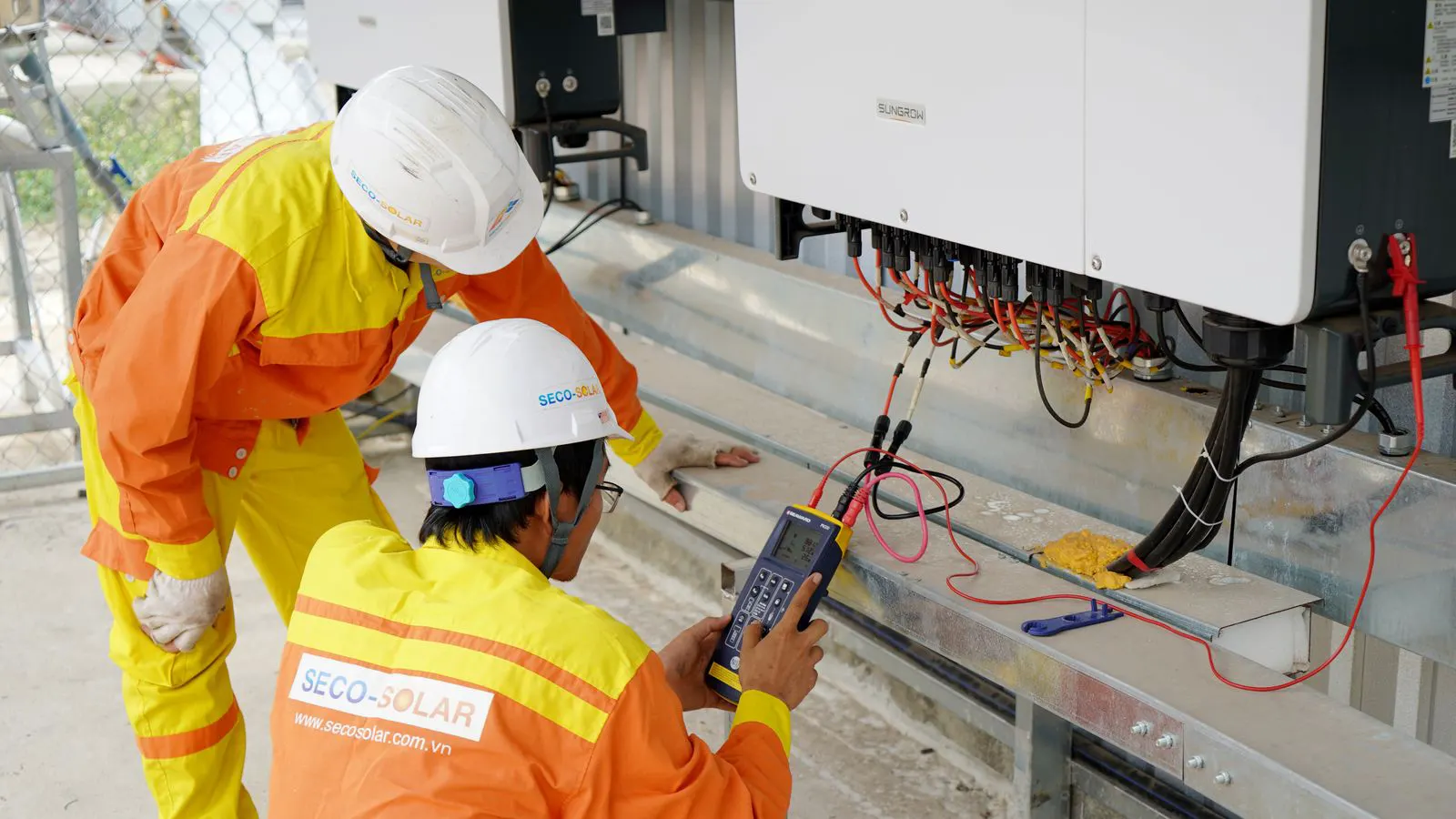
Tracker Payload Checklist: Pre-Deployment Verification

A tracker payload checklist ensures your solar array, motors, and racking meet structural limits. This guide provides a numbered audit of weights, wind loads, and connection points to prevent deployment failures.
- Verify the total weight of the array, racking, and drive unit against the tracker's rated payload.
- Check wind load calculations to ensure the structure can handle the local maximum gust speeds.
- Inspect all connection points for proper torque and hardware compatibility.
- Review the vendor's installation manual for specific clearances and grounding requirements.
Why Payload Verification Matters Before Deployment
Deploying a solar tracker system without verifying the payload is a common source of early failures. The tracker’s structural design assumes a specific weight and load profile. When the actual array exceeds these limits, the drive unit, bearings, and racking experience stress beyond their design parameters. This leads to misalignment, increased wear, and potential structural failure.
This checklist is designed for engineers and installation teams. It focuses on the physical and mechanical checks required before a tracker site is energized or commissioned. The goal is to catch discrepancies between the design phase and the physical installation. If any item in this list fails, stop the deployment and document the issue.
Confirming Total Array Weight
The first step is to calculate the total dead weight of the system. This includes the solar modules, the mounting racking, the tracker drive unit, and any ancillary equipment such as wiring, cables, and junction boxes. Do not rely on estimates from the design software alone. Weigh components on site if possible, or use certified weight data from the module and racking manufacturers.
- List every module type on the site. Note the dimensions and weight per unit.
- Calculate the total number of modules per tracker array.
- Add the weight of the racking structure, including clamps and rails.
- Add the weight of the tracker drive unit and its housing.
- Include the weight of electrical components: combiner boxes, cabling, and grounding wires.
- Sum these values to get the total payload per tracker.
- Compare this total against the rated payload capacity of the specific tracker model.
Red flag: If the total weight exceeds the manufacturer’s rated payload by more than 5 percent, do not proceed. The drive unit may struggle with the torque required for tracking, leading to motor burnout or gear failure.
Verifying Wind Load Capacity
Wind load is a dynamic force that changes with the orientation of the array. A solar tracker presents a larger wind profile than a fixed-tilt system when the modules are vertical. The payload verification must account for the maximum wind speed expected at the site location.
Check the wind load calculations provided by the structural engineer or the vendor’s design team. Ensure the calculations use the correct site-specific wind speed data. The racking must be designed to withstand the overturning moment and lateral shear forces generated by high winds.
- Identify the local maximum design wind speed.
- Review the wind load calculation report for the specific tracker model.
- Verify that the racking hardware is rated for the calculated wind loads.
- Check the foundation design to ensure it can transfer the wind forces to the ground.
- Confirm that the array is designed to be lowered or tilted to a safe position during extreme weather.
Red flag: If the wind load calculations were done for a fixed-tilt system but the site uses trackers, the loads may be underestimated. Trackers typically require stronger foundations and more robust racking.
Checking Drive Unit and Motor Compatibility
The drive unit is the heart of the solar tracker. It moves the array to follow the sun. If the payload is too high, the motor will operate outside its optimal range. This causes overheating and reduced lifespan. Verify that the drive unit is correctly matched to the array size.
- Check the motor rating against the calculated torque requirements.
- Verify the gear ratio and speed settings.
- Inspect the motor mount for proper alignment and secure fastening.
- Test the limit switches to ensure they prevent over-rotation.
- Confirm that the electrical connection to the drive unit is secure and correctly phased.
Red flag: If the motor sounds strained or vibrates excessively during a low-speed test, stop the installation. This is a sign that the payload or the drive system is mismatched.
Reviewing Racking and Connection Integrity
The racking system connects the modules to the tracker. Every connection point must be secure. A loose clamp or missing bolt can lead to module displacement during tracking or high winds. Perform a physical inspection of all racking components.
- Inspect all module clamps and rails for proper installation.
- Check torque values on all structural bolts and fasteners.
- Verify that the racking is level and aligned with the tracker axis.
- Ensure there are no gaps or misalignments between the racking and the tracker carriage.
- Confirm that all anti-rotation hardware is installed correctly.
Red flag: If any bolt is missing or shows signs of corrosion, replace it immediately. Do not use temporary fixes. The racking must be structurally sound before the system is put into operation.
Validating Electrical and Grounding Connections
The electrical system is critical for safe operation. Incorrect grounding or loose connections can create fire hazards or equipment damage. Verify that all electrical components are installed according to the manufacturer’s specifications.
- Check the grounding system to ensure it is continuous and secure.
- Verify that all cable connections are tight and insulated.
- Test the insulation resistance of the modules and cabling.
- Confirm that the inverter or power electronics are correctly connected and grounded.
- Review the electrical drawings against the physical installation.
Red flag: If any cable shows signs of damage or if the grounding resistance is outside the acceptable range, do not energize the system. Electrical faults are dangerous and can cause significant damage.
Final Documentation and Sign-Off
Before declaring the tracker system ready for deployment, complete a final review of all documentation. This includes the payload calculation sheet, wind load report, torque logs, and electrical test results. Having a complete record is essential for warranty claims and future maintenance.
- Compile all checklists and inspection reports into a single file.
- Review the payload calculation against the final as-built configuration.
- Confirm that all red flags identified during the inspection have been resolved.
- Obtain sign-off from the project engineer and the installation lead.
- Store the documentation in the project management system for future reference.
Red flag: If any documentation is missing or incomplete, do not sign off. Incomplete records can lead to disputes with the vendor and complicate any future issues.
Common Mistakes to Avoid
Several common mistakes can undermine the payload verification process. Be aware of these pitfalls to ensure a successful deployment.
| Mistake | Consequence | Prevention |
|---|---|---|
| Using estimated weights | Incorrect payload calculation | Weigh components or use certified data |
| Ignoring wind loads | Structural failure in high winds | Use site-specific wind speed data |
| Loose racking hardware | Module displacement and damage | Check torque values on all fasteners |
| Missing grounding | Electrical hazards and damage | Test insulation resistance and grounding |
| Incomplete documentation | Warranty disputes and maintenance issues | Compile all reports before sign-off |
Avoiding these mistakes requires attention to detail and adherence to the manufacturer’s guidelines. Do not skip any step, even if it seems minor. Each check contributes to the overall safety and performance of the tracker system.
Conclusion
Verifying the tracker payload before deployment is a non-negotiable step in the solar installation process. It ensures that the system is structurally sound, electrically safe, and capable of operating within its designed limits. By following this checklist, you can identify and correct issues before they become costly failures. Take the time to do it right the first time.
Frequently asked questions
What is the typical payload limit for a single-axis solar tracker?
Payload limits vary significantly by manufacturer and model. Some trackers can support arrays weighing several tons, while smaller models are designed for lighter installations. Always refer to the specific model's technical data sheet for the rated payload capacity.
How often should payload verification be performed?
Payload verification should be done during the initial installation and any time significant modifications are made to the array. If modules are replaced with heavier units or additional equipment is added, the payload must be recalculated.
Can I increase the payload of a solar tracker?
In most cases, no. The tracker's structural components, drive unit, and foundation are designed for a specific load. Exceeding the rated payload can void warranties and lead to safety hazards. Consult the manufacturer before considering any modifications.
What is the difference between dead weight and dynamic load?
Dead weight is the static mass of the array and racking. Dynamic load includes the forces generated during tracking, such as inertia and acceleration, as well as environmental forces like wind and snow. Payload verification must account for both to ensure structural integrity.
Who is responsible for payload verification?
Responsibility typically falls on the project engineer or the installation contractor. It is a shared responsibility between the vendor, the engineer, and the installer to ensure that the final configuration matches the design specifications and meets all safety standards.